 Vintage Viewer
by Jim Heid
The 1990s brought Bill Clinton, The Simpsons, MP3s, Napster — and the age of personal digital photography and personal computer video.The revolution began with digital cameras and Apple’s 1994 launch of the QuickTake 100. The path was pixelated at first, with heavily compressed, low-resolution photos that couldn’t begin to replace film. Still, the fuzzy handwriting was on the wall: the future was filmless.
As digital cameras were beginning to walk upright, a parallel evolution was taking place: personal computers gained the ability to play video clips, thanks to Apple’s QuickTime and, later, Microsoft’s Video for Windows. The quality was poor — grainy images and jerky motion within a saltine-sized frame. But it was sort-of TV...on a computer!
In the middle of these developments, Apple created an imaging technology that had no analog in the world of, well, analog. Introduced in 1995, QuickTime VR enabled photographers to produce a 360-degree panorama that appeared on a computer screen — and that you could navigate with your mouse and keyboard.
This wasn’t the kind of VR we associate with today’s VR headsets – a 1995 Apple tech note called it “virtual reality for the rest of us.” You changed your vantage point by dragging within the panorama. Today, of course, this kind of panning is common (think Google Street View). But in the 1990s, it felt like something completely new, because it was.
Within ten years, it was all but abandoned. As Apple evolved the Mac’s operating system, the company left the QuickTime VR and QuickTake formats behind. This is the story of my efforts to bring them back.
My panoramic world
I was a contributing editor and columnist for Macworld magazine during this era and was lucky to be able to cover digital cameras and QuickTime VR. I wrote a feature article on digital cameras in 1994 (PDF, 1.8MB) and led the magazine’s coverage of QuickTime VR in 1995 (PDF, 1.8MB). For a Macworld-branded book I wrote, I produced a CD-ROM containing an interview with the QuickTake 150 product manager.
In early 1995, I spent time with a team in Apple’s Advanced Technology Group, learning about QuickTime VR and what was initially a painful production process. It involved film! You’d mount a 35mm camera on a special tripod bracket, then shoot a series of overlapping images, then have the film processed, scanned, and transferred to Kodak PhotoCD discs. Finally, you’d stitch the images together with a $2000 software suite that required Apple’s MPW programming tool and lots of arcane typed commands.
Reminder: we shoot panos with our phones now.
Primitive as it was, QuickTime VR enchanted the amateur photographer in me. I’d been a technology journalist since the early 1980s, but computers and photography lived in disconnected circles of my life’s Venn diagram. In the 90s, those circles intersected and my job got a lot more fun.
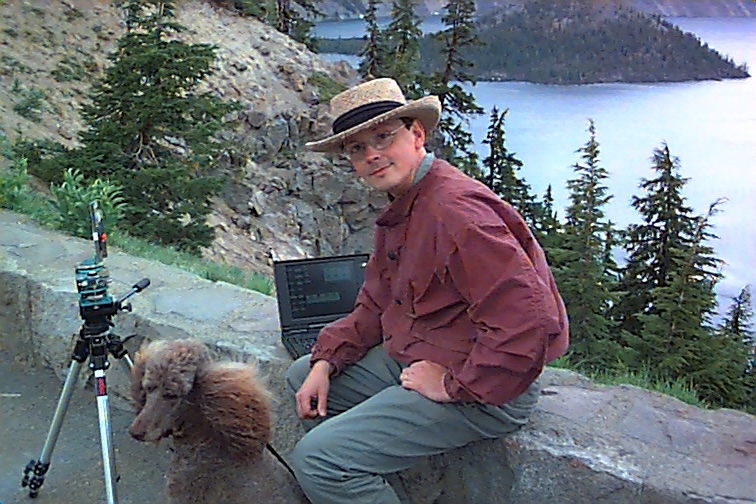
In 1997, I took a QuickTake camera on a seven-week, 26-state road trip, shooting QuickTake photos and producing QuickTime VR movies along the way.
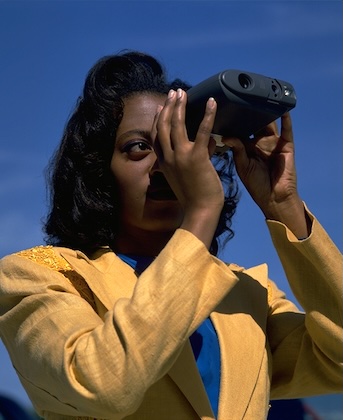
Our work was published on the web, and visitors could revel in virtual views of each participant’s world — some shot at night, others by day, some in snow, others in Hawaii, but all taken at the same time. The project made the world feel smaller; it was a beautiful example of the promise of the web, where everyone had a voice that wasn’t drowned out by social networks and their ads and algorithms.
QuickTime VR was embraced by content creators of all kinds. Publishers produced commercial CD-ROMs whose panoramas enabled virtual travel — to other countries, to lost Mayan cities, to Star Trek’s USS Enterprise. On the web, museums and universities created virtual exhibits showcasing exotic places such as the pyramids of Giza and exotic objects such as primitive hearing aids. Architects and real estate agents created walkthroughs. Photographers took us to wilderness parks and Yosemite National Park. NBC News even published crime scene panoramas during the O.J. Simpson trial. And photographers, pro and amateur alike, explored this new way to capture the world around them.
Then Steve Jobs returned to Apple and everything began to change.
Pruning Apple’s tree
The Apple of 1997 had a broad product line that included multiple Mac models, numerous software initiatives (including QuickTime VR), and a family of peripherals — hard drives, printers, a scanner, and the QuickTake camera.
When Steve Jobs returned to Apple in 1997, he pruned that tree with a hatchet. Jobs cut 70 percent of the product line, chopping it down to four cornerstones: iMac, iBook, PowerBook, and Power Mac.
QuickTake cameras didn’t fit those quadrants. Apple introduced the QuickTake 200 in early 1997; by the end of that year, it had discontinued its entire camera line.
Over time, photos taken with the QuickTake 100 and 150 ended up in the file-format dustbin. Mac OS X couldn’t open them — you had to use the Classic environment, that stopgap compatibility layer that enabled Mac OS X to run the previous operating system.
When Classic went away in 2007, thousands — maybe millions — of photos became unreadable on anything other than an older computer. You could convert those photos using specialized utilities like Graphic Converter, but you couldn’t just open them in their native form.
A virtual demise
QuickTime VR had a similar slow slide into obsolescence. Apple shipped its QuickTime VR Authoring Studio — an elegant software package for QTVR production — in November 1997. But the Advanced Technology Group where QTVR originated had already been shuttered a month prior.
Apple never developed an OS X version of Authoring Studio; QuickTime VR producers had to run it under the Classic environment. When Classic went away in 2007, it was either “use an old Mac” or switch to a third-party authoring tool.
By then, though, there was little reason — QuickTime VR was on its way to obscurity. The web killed the CD-ROM industry as publishers abandoned those silver platters in search of internet goldmines.
And the web itself changed. In the web’s early days, displaying rich-media content such as video required website visitors to download browser plug-ins. Messages like This website requires QuickTime or Download the Flash plug-in were common. This complicated life for web visitors and web designers alike. Over time, the web community developed HTML standards that eliminated plug-ins. It was the right move — but it removed the ability to display QuickTime VR movies on a web page.
Apple continued to support QuickTime VR movies in its standalone QuickTime Player app, though even that viewing option wasn’t exactly obvious. You had to manually install QuickTime Player 7, which you either had to download or unearth from the macOS installation CD.
Then came 2019’s macOS Catalina. That version abandoned support for the 32-bit architecture of earlier Mac operating systems, and QuickTime Player 7 wouldn’t run. After that, attempting to open a QuickTime VR movie earned you an error message.
As for the web, many thousands of QuickTime VR movies were published during the format’s lifetime. Many still survive on old cobweb sites and on the Internet Archive. But they can’t be viewed with modern browsers or Apple’s current QuickTime Player.
Business is business
Apple didn’t have to forsake these formats. It could have continued supporting the QuickTake photo format, and it could have adapted its QuickTime VR Authoring Studio software to run in MacOS X and to export web panoramas that didn’t require browser plug-ins.
But business is business. Maintaining software isn’t free, and when the potential market is relatively small, spreadsheets are consulted and products die.
And so do those memories captured by the original QuickTake cameras. Does it matter? After all, the drives that held those photos can’t even be connected to a Mac made in this century. (Which illustrates the twin-bladed sword of digital preservation: file formats not only get abandoned, but files themselves get marooned on obsolete media.)
It isn’t up to us to say that the photos taken by the first mainstream digital cameras don’t matter. It was up to Apple, and Apple said they don’t.
Then there are the thousands of hours of QuickTime VR production effort expended by museums, educational institutions, photographers, and artists. A staff at Harvard University photographed and produced over 1200 QuickTime VR panoramas shot in and around the pyramids of Giza as part of its Digital Giza project. When Apple abandoned QuickTime VR — and when web browsers evolved beyond plug-ins — those movies became as inaccessible as a pharaoh’s tomb. (Happily, they’re being resurrected in HTML form in an updated website currently in development.)
Enter Vintage Viewer
It’s for these reasons that I created Vintage Viewer. It’s a free macOS app that lets you store, view, and export QuickTime VR movies and QuickTake photos.
I have a small but, to me, significant collection of QuickTake photos and QuickTime VR movies that I shot in the 1990s. I have an elderly PowerBook G4 where I can use the Classic environment to view them and to convert the QuickTake images into JPEG form. (There are a few modern macOS utilities that can convert QuickTake images, too.) But QuickTime VR movies are marooned in the past. I wanted to bring them into the present. I suspected I wasn’t alone.
I wasn’t wrong. As I explored Reddit and other online forums, I saw that others were also interested in these pioneering formats — including people who weren’t even alive when they debuted. (I saw phrases like “my dad had a QuickTake” more than once.) A tool that would enable vintage computing fans to explore and collect these forgotten formats — and that would enable the easy display and conversion of the VR movies created by nonprofits and others — would be my small contribution to the world of digital preservation.
Vintage Viewer converts QuickTake photos as well as QuickTime VR movies, but I don’t want to just convert them. I want to store them in their original formats — to be first-class citizens on modern Macs. You don’t have to create an HTML version of a QTVR movie in order to take it for a spin, or go through a conversion step to view a QuickTake photo. To Vintage Viewer, these formats are as fresh as an iPhone photo.
A full circle
Rediscovering my vintage images rekindled my interest in these formats. By digging through a cabinet of old CD-ROMs and spending hours exploring the Internet Archive and other websites, I’ve built a collection of nearly 3,000 QuickTime VR movies.
I’ve also reconnected with some pioneering QTVR producers with whom I crossed paths thirty years ago. Photographers Richard Crowest and Doug Cope generously tested Vintage Viewer and supplied some gorgeous movies that are included in a sample library that I include with Vintage Viewer. One movie even has directional sound: as you pan, the soundscape moves between left and right speakers.
Both men embraced QuickTime VR in the 1990s and participated in the A Wrinkle in Time VR projects. (Those projects, by the way, are all but lost. I did find one of them — the Winter Solstice 1997 edition — buried on a Macworld cover-mount CD-ROM that’s been uploaded to the Internet Archive. I retrieved their movies, but, lacking permission from each of its 80 participants, can’t publish them. My attempts to contact Robert Abbett, the projects’ producer, have been unsuccessful.)
As for QuickTake images, I made contact through Reddit with a QuickTake fan in Australia who is only slightly older than the QuickTake cameras he collects. He’s building an app that can transfer photos from a QuickTake 100 or 150. He even found a cable that enables a QuickTake 100 or 150 camera to connect to a USB port. His efforts inspired me to buy a QuickTake 100 on eBay and order the cable.
So I’ve not only rediscovered content made decades ago, I’ve also been inspired to create new content using those forgotten formats. My journey has come full circle — which, when you think about it, seems completely appropriate.
Share this: copyright and licensing
© 2026 Jim Heid. This article is licensed under a Creative Commons Attribution-NonCommercial 4.0 International License (CC BY-NC 4.0)
You're welcome to share, reproduce, and adapt this article for noncommercial purposes, provided you credit me (Jim Heid), link to this original article, identify any changes made, and include a link to the Creative Commons license. Commercial use requires prior written permission.
Third-party images, photographs, illustrations, and other credited materials are excluded from this license unless otherwise noted. Rights to those materials remain with their respective copyright holders.
QuickTime VR and QuickTake on YouTube
YouTube contains numerous vintage videos that cover QuickTime VR and QuickTake cameras. Here's a selection of my favorites.